Installing Let's Encrypt SSL on Nginx and Wordpress
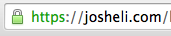 Here's how I installed the free Let's Encrypt SSL certificate on Nginx to use with this Wordpress site. I used this helpful article and some docs from the Let's Encrypt site to get this working. I'll have to update the cert every 90 days until I get around to getting that automated.
Basically, the steps can be boiled down to the following:
- Install the Let's Encrypt client

- Stop Nginx so that Let's Encrypt can do stuff on port 80

- Run the client

- Answer some questions

- Make sure the cert was created

- Edit your server config to use the SSL cert

- Restart Nginx
On the command line, that looks like:
git clone https://github.com/letsencrypt/letsencrypt cd letsencrypt/ sudo service nginx stop ./letsencrypt-auto certonly sudo ls -al /etc/letsencrypt/live/josheli.com sudo nano /etc/nginx/sites-available/josheli.com sudo service nginx restart
And here's the configuration I use in the server block of my nginx config for this domain:
`server { ... listen 443 ssl; ... ssl_certificate /etc/letsencrypt/live/josheli.com/fullchain.pem; ssl_certificate_key /etc/letsencrypt/live/josheli.com/privkey.pem;
    ssl\_protocols TLSv1 TLSv1.1 TLSv1.2;
    ssl\_ciphers 'ECDHE-RSA-AES128-GCM-SHA256:ECDHE-ECDSA-AES128-GCM-SHA256:ECDHE-RSA-AES256-GCM-SHA384:ECDHE-ECDSA-AES256-GCM-SHA384:DHE-RSA-AES128-GCM-SHA256:DHE-DSS-AES128-GCM-SHA256:kEDH+AESGCM:ECDHE-RSA-AES128-SHA256:ECDHE-ECDSA-AES128-SHA256:ECDHE-RSA-AES128-SHA:ECDHE-ECDSA-AES128-SHA:ECDHE-RSA-AES256-SHA384:ECDHE-ECDSA-AES256-SHA384:ECDHE-RSA-AES256-SHA:ECDHE-ECDSA-AES256-SHA:DHE-RSA-AES128-SHA256:DHE-RSA-AES128-SHA:DHE-DSS-AES128-SHA256:DHE-RSA-AES256-SHA256:DHE-DSS-AES256-SHA:DHE-RSA-AES256-SHA:ECDHE-RSA-DES-CBC3-SHA:ECDHE-ECDSA-DES-CBC3-SHA:AES128-GCM-SHA256:AES256-GCM-SHA384:AES128-SHA256:AES256-SHA256:AES128-SHA:AES256-SHA:AES:CAMELLIA:DES-CBC3-SHA:!aNULL:!eNULL:!EXPORT:!DES:!RC4:!MD5:!PSK:!aECDH:!EDH-DSS-DES-CBC3-SHA:!EDH-RSA-DES-CBC3-SHA:!KRB5-DES-CBC3-SHA';
    ssl\_prefer\_server\_ciphers on;
... }
#redirect to ssl server { listen 80; server_name josheli.com; rewrite ^/(.*) https://josheli.com/$1 permanent; } `
Once I get that auto update working, I'll add ssl to all my sites. Won't you trust me then?
Update
To renew the certificate:
$ sudo service nginx stop $ ./letsencrypt-auto certonly -d josheli.com $ sudo service nginx start
There are recipes to auto renew and to renew without having to restart nginx, but for now, this is what I do.